Valheim 1.0: Restart Your World or Keep It?
Scope: Vanilla standard survival; world modifiers, mods and later patches may change the rules
Language: English中文
Key points
- You are not forced to restart: old saves still work, but new biome generation only completes properly in unexplored ground.
- Keep the old world if builds and co-op history matter most; start fresh if you want the new pacing or your old world is already widely explored.
- A black map is not the same as “never generated” — terrain generation is tied to where players have been.
- 1.0 achievements track from the new version, so bosses you beat before may need beating again; back up before you update.
On this page
You are not forced to restart. The developers confirm that old saves still work, but new biome generation only completes properly in unexplored ground, and they also suggest starting fresh for the most complete experience — see the official 1.0 FAQ. So the question is not whether the old world loads, but whether it suits what you want to play.
Decide what you most want to keep
If the big builds, the long co-op history and a base you know inside out matter most, back up first, then keep playing the old world and check its unexplored areas. If you care more about experiencing the new pacing from the beginning, or your old world is already explored very widely, a new world makes routes and expectations easier to line up.
You can also keep the old world as an archive for builds and memories and start a separate exploration world. Do not overwrite the original files, and do not merge old and new into one save just to avoid inventing a second name. Write down what each one is for and future backups and revisits will be much clearer.
Black map is not the same as "never generated"
Terrain generation is tied to where players have been, so do not judge whether an area exists purely by whether the map is uncovered. The official notes on map updates are in the FAQ. If a new region behaves strangely, first check whether you have actually been nearby, then decide whether it is an update problem.
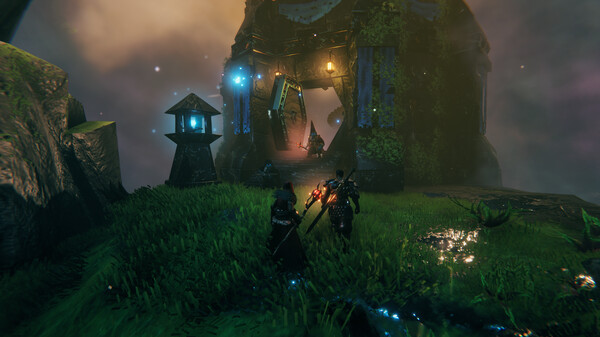
Do not make third-party map editing or terrain reset tools your first option when you have no backup. They can affect existing builds and world state, and they are not covered by any official guarantee. If you want to try one, test it on a copy and confirm nothing is lost before deciding to use it.
Old kills do not automatically fill in achievements
1.0 achievements are tracked from the new version, so bosses you beat before may need to be beaten again. Most cheat commands leave a permanent achievement restriction flag on the current character and world; picking up flagged spawned items follows a different, temporary restriction rule. Hotfix 1.0.12 on 2026-09-11 (currently Steam only) added a console command that lets a character which used cheats or mods re-enable achievements; take the exact command name from the announcement. See the official achievement notes and the Hotfix 1.0.10 & 1.0.12 announcement.
If you are serious about collecting achievements this time, check your character and world state first, and do not spawn things in your real save just to test a new item. Turning the console off does not necessarily undo an existing flag, and nobody should promise you that deleting one config file restores eligibility.
A safe upgrade order
Stop the game and any server, save separate copies of your character and world, and note the version, mods and world modifiers at that moment. Then update and run a small test: does the character load, is the base intact, are chest contents visible, can your friends join? Once that checks out, go explore the new regions.
If something looks wrong, do not immediately save repeatedly or overwrite your backups. Preserve the current state and the error information, and work out whether the problem is vanilla, mods or world generation. When you restore, keep a copy of the broken save for diagnosis instead of deleting all the evidence together.
How to choose in the end
If you want to keep your builds, look at the old world first; if you want a full fresh run, start a new one; if you want both, separate them by purpose. There is no need to delete a world you have invested years in just to keep up with a version. The best choice is the one where how you keep your progress matches what you actually want to play.
Three ways to handle the upgrade
| Choice | Suits you if | Do this first |
|---|---|---|
| Keep the old world | Big builds, long co-op history and a base you know inside out matter most | Back up, then check its unexplored areas |
| Start a new world | You want the new pacing from the beginning, or the old world is already explored very widely | Note what the old world is for before you leave it |
| Keep both | You want the builds archived and a clean exploration run | Give each one a name and a purpose; do not overwrite the original files |
Old saves still work, but new biome generation only completes properly in unexplored ground — that is what the choice turns on.
Sources
The mechanics and numbers in this guide come from the material below. Open the original pages to check them yourself.
- S001 official 1.0 FAQ www.valheimgame.com Accessed
- S002 FAQ www.valheimgame.com Accessed
- S003 Hotfix 1.0.10 & 1.0.12 announcement store.steampowered.com Accessed
Related guides
Valheim Deep North: Eternal Pyre to Endgame
The 1.0 Deep North order of operations, linking Embers, Petrified Tissue, Bloodgold, moulds, the Intricate Key and the invasions into one workable route.
v1.0.12Valheim Mods Broken After Update: What to Do
Handle launch failures, missing items and multiplayer mismatches with backups, a vanilla test and staged restores, with no unverified compatibility claims.
v1.0.12Valheim Co-op: Host, Crossplay and Servers
Choose between a host-run session and a dedicated server, run a join test, work through connection problems, and set co-op rules a long world can survive.
v1.0.12