Bongo Cat Multiplayer: Lobbies and Fruit Sets
Scope: Meowtiplayer features as announced up to September 2026
Key points
- Meowtiplayer puts up to 100 friends' cats on your screen, run entirely through Steam with no server to set up.
- Lobbies can be joined by code, by invite only, or publicly through Join random lobby and the lobby browser.
- Playing with at least one other person unlocks a one-time choice of Strawberry, Pineapple or Watermelon fruit sets.
- You can open friends' chests for 1,000 of your own clicks; it is free for them.

Bongo Cat's multiplayer, called Meowtiplayer, lets up to 100 friends' cats tap together on your screen. It runs through Steam, with no server to host; join by code, invite or public lobby. Being in a lobby with at least one other player also unlocks the multiplayer-only fruit sets, and lobbies are where the emote chest first appeared.
How do you start or join a lobby?
Open the Multiplayer tab from your cat's menu. The launch announcement says "Everything is handled by Steam, so no servers, or other stuff you need to connect to." Since the April 2026 chat update, a lobby has one of three states (announcement):
| Lobby type | Who can join | Added |
|---|---|---|
| Friends / Lobby Code | Steam friends, or anyone you give the code to | August 2025 |
| Invite only | Only people you invite through Steam | January 2026 (private lobbies) |
| Public | Anyone, through Join random lobby | April 2026 |
A June 2026 update added lobby names and a lobby browser (patch notes), and persistent lobby codes followed shortly after. You can also join through Discord since the Discord SDK arrived in April 2026; switch that off in settings if you prefer.
One quirk worth knowing: in August 2025 the game stopped using lower-case l, upper-case I and upper-case O in lobby codes, which made every older code invalid (fix notes). If a code from an old forum post fails, that is why.
What do you get for playing together?
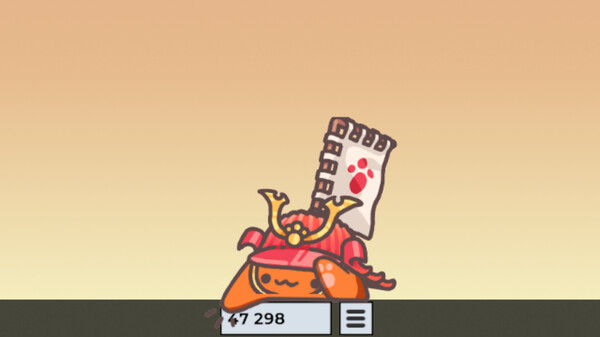
The first reward is the Fruit Fusion sets. When you are in a lobby "with at least one other player", a popup eventually asks you to pick team Strawberry, Pineapple or Watermelon. The announcement is clear that these sets "can only be obtained by playing multiplayer, and you can only drop one of the item sets", so choose the one you want to wear.
The second is the emote chest. After a rocky first emoji update in October 2025, the developer announced a second chest that "will ONLY contain emotes that will show up once you are in a multiplayer lobby" (October 2, 2025 post). It shipped on October 6 with emoji exchanges still marked as work in progress (emote update), and the emoji exchange arrived on October 8, 2025 (autumn update). Emotes were first used by hovering over your cat in a lobby; the July 12, 2026 update "Brought back emotes to singleplayer" (July 2026). Emotes also count towards the Emoter achievements, listed on the achievements page.
The third is achievements tied to lobby size: Meowtiplayer Friend, Group, Pack and Party need lobbies of 2, 5, 10 and 50 players.
What can you do with friends' cats?
- Open their chests: it "costs you 1000 clicks, for your friend it's free" (June 2026); the same works for emote chests since July 2026, if both of you are on the latest version.
- Pat them, rotate or flip them with R and F while hovering, and right-click to make a cat transparent for a moment (July 2026).
- Arrange everyone with Spawn Settings: 8 layout patterns, disabled slots to keep screen areas free, and F6 to preview slots (August 2026).
- Chat with short messages. Chat is not moderated, a language filter exists, and both chat and emotes can be disabled in the Multiplayer tab.
Since April 2026 the lobby also shows who has gone AFK after two minutes of inactivity (announcement).
Why can't you see a friend's cat?
The developer shipped several missing-cat fixes in late August 2025, and one of them came with a catch: after the change to how cosmetics are shared, players on older versions could no longer see each other until they updated (fix notes). Update the game on both sides first, then use the display hotkeys on the Steam Error and fixes page. Items you trade with friends are covered in exchange and trading, and the fruit sets sit alongside every other source in hats and skins.
Sources
The mechanics and numbers in this guide come from the material below. Open the original pages to check them yourself.
- S001 launch announcement store.steampowered.com Accessed
- S002 fix notes store.steampowered.com Accessed
- S003 announcement store.steampowered.com Accessed
- S004 patch notes store.steampowered.com Accessed
- S005 June 2026 store.steampowered.com Accessed
- S006 July 2026 store.steampowered.com Accessed
- S007 August 2026 store.steampowered.com Accessed
- S008 announcement store.steampowered.com Accessed
- S009 emote update store.steampowered.com Accessed
- S010 fix notes store.steampowered.com Accessed
- S011 October 2, 2025 post store.steampowered.com Accessed
- S012 autumn update store.steampowered.com Accessed
Related guides
Bongo Cat Hats and Skins: Rarity and Sources
Bongo Cat hats and skins: official drop rates per rarity, the new Unique tier, every way items reach your inventory, and the supporter packs.
All 28 Bongo Cat Achievements and Unlock Rates
All 28 Bongo Cat Steam achievements with the exact requirement text and global unlock rates, grouped by taps, items, emojis, lobbies and exchanges.
Bongo Cat Steam Error: Fixes and Hotkeys Guide
Bongo Cat Steam Error explained: why the popup appears, how to check whether your drop went through, the timer resync fix, and display hotkeys.