How to Play One Tap: Weapon Rules, Unlocks and Bans
Scope: Features named in the official game description, the Roblox game record and six official event listings on 2026-10-10 (UTC); controls, map names, match length, scoring, weapon stats and whether lobbies include bots are not stated by the developer and are not covered
Key points
- One Tap is a free-for-all with no teams. The official description calls it "a fast-paced FPS sniper FFA arena" and Roblox lists it as a Deathmatch Shooter with 8 players per server.
- The description gives three weapon lines: "One-shot snipers", "Two-Shot Secondaries (One to the head)" and "Melee Weapons". No damage or health numbers are published.
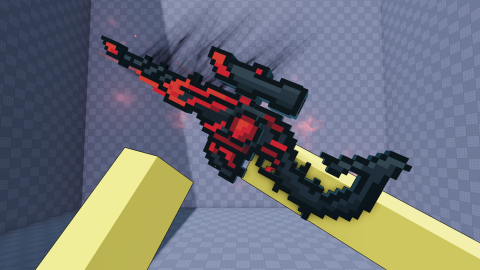
- Unlocks named in the description are weapon skins ("70+"), kill effects and name tags, with cases as the stated way to earn "rare & limited cosmetics".
- The description warns that cheating, exploiting or farming with alts brings a permanent ban, with no appeals.
On this page
- What kind of game is One Tap?
- How do the three One Tap weapon classes work?
- What do streaks, trick shots and clean kills do?
- What can you unlock and equip in One Tap?
- What have update listings added to matches?
- What should you do in your first One Tap session?
- What gets you banned in One Tap?
- What does the developer not state?
- Sources
- Related guides
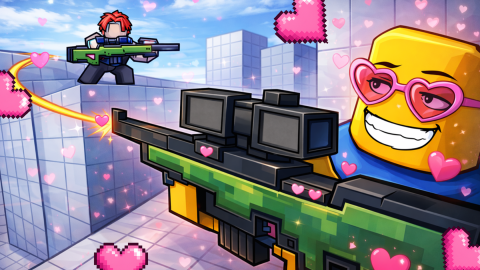
One Tap is a free-for-all sniper arena on Roblox with no teams, so every other player in the server is a target. The official description gives three weapon rules: snipers are one-shot, secondaries are two-shot or one to the head, and melee weapons are in the game. A server holds 8 players.
That is most of what the developer has put in writing about a match in the sources we read. This page goes through the description line by line, adds what the six official event listings say about maps and settings, and ends with a list of what nobody official has stated.
What kind of game is One Tap?
A deathmatch shooter built around sniper rifles. The description opens with "Boom Headshot!" and then says: "One Tap is a fast-paced FPS sniper FFA arena, no teams, just pure chaos!" FFA is the usual short form of free-for-all, and "no teams" confirms the reading.
Roblox's own record agrees. It files the game under Shooter, sub-genre Deathmatch Shooter, and sets the server size at 8 players. The game is free to play, and its name on Roblox is [FPS] One Tap.
How do the three One Tap weapon classes work?
The One Tap description spends one short line on each class. The second column is the official wording, copied without the emoji in front of it.
| Class | Official line | What it tells you | Not stated |
|---|---|---|---|
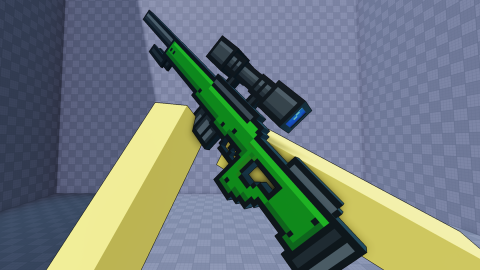
| Sniper | "One-shot snipers" | A sniper hit is meant to kill in one shot | Whether every body part counts, scope behaviour, reload time |
| Secondary | "Two-Shot Secondaries (One to the head)" | Two hits, or a single headshot | Which weapons count as secondaries, range, fire rate |
| Melee | "Melee Weapons" | Melee weapons exist | Hits to kill, reach, speed |
Two practical readings follow from those lines, and both are ours. First, with snipers one-shot, a missed shot costs you more than a slow one, because the other player needs one hit too. Second, the secondary line rewards head-level aim: a headshot halves the hits you need. Neither reading comes with numbers, because the developer has published none.
What do streaks, trick shots and clean kills do?
The description lists them and stops there: "Streaks, trick shots, clean kills and more!" It does not say how long a streak has to be, what counts as a trick shot or whether either pays anything. Treat the line as a promise of what matches feel like. Any streak bonus or trick-shot reward you read elsewhere is not from an official source we could find.
What can you unlock and equip in One Tap?
The description has a section headed "Progress & Customization" with four lines. Each is quoted below with the guide that covers it.
| Official line | What it names | Guide |
|---|---|---|
| "Unlock 70+ weapon skins", with a note that more are planned | Weapon skins, 70 or more by the developer's count | Robux shop |
| "Roll cases to earn rare & limited cosmetics" | Cases, as the way to earn rare and limited cosmetics | Cases |
| "Equip kill effects, name tags, and skins" | Three kinds of equippable cosmetic | This page |
| "Earn rewards from levels, daily, and quests" | Three reward sources | Rewards |
None of the four lines says a cosmetic changes how a weapon performs, and no line says the opposite either. The developer has not published a skin list, so this site does not print one. "70+" is a lower bound with no date on it. An event listing for April 2026 announced "28 total new weapons!"; whether the 70+ line was written before or after that is not stated.
What have update listings added to matches?
Of the six official event listings, the one titled Update 2, listed from 13 to 21 March 2026, says the most about match features. Its content list includes:
- "3 New Maps (Removed temporarily in new servers to fix some issues)"
- "Reporting players"
- "Improved anti-cheat"
- "Crosshair size customization"
- "New Leaderboards (Delayed, fixing it don't worry!)"
So maps, a report function, a crosshair size setting and leaderboards have all been announced. The listing names none of the maps, and it says the three new ones were pulled from new servers at the time. Whether they came back is not stated in any later listing. The updates page has all six listings in full.
The store adds one more hint. The Double Voting Value pass icon reads "2x Votes" and "Your votes will count twice." That implies some voting feature, but no official source we read says what is voted on or whether it happens in a match; the game pass guide covers the pass.
What should you do in your first One Tap session?
These steps are our suggestion, built only on the lines quoted above. They are not a rule of the game.
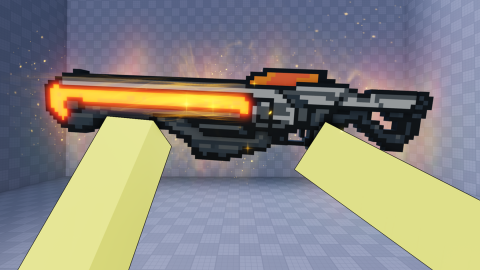
- Play a few lives with the sniper before you touch anything else. It is the weapon the whole description is built around.
- Aim at head height with your secondary. The description itself says one to the head is enough.
- Open the settings and look for the crosshair size option announced in Update 2.
- Look for the three reward sources the description names: levels, daily and quests. Our rewards page lists what is known about each.
- Hold your Robux until you have read the price tables. The store has 97 products and none carries a description.
What gets you banned in One Tap?
The description ends with a notice, quoted here in full: "Cheating, exploiting, or farming with alts will result in a permanent ban. No appeals."
Three behaviours are named. Cheating and exploiting need no explanation. "Farming with alts" is the least obvious of the three. The notice does not define it; our plain reading is using extra accounts to feed yourself kills or progress. The penalty named is permanent, and the notice rules out appeals. The Update 2 listing also announced "Reporting players" and "Improved anti-cheat", so a player report function has been announced as well.
What does the developer not state?
These are common One Tap questions we cannot answer from an official source. We would rather list them than guess.
- Controls, including how to scope or aim on each platform.
- Whether lobbies ever include bots.
- How a match is scored, how long it lasts and how a winner is decided.
- Map names and how many maps are live.
- Damage, health, fire rate or reload figures for any weapon.
- What a level, a daily reward or a quest pays.
Platform support, server size and the developer group are on the game info page.
Sources
The mechanics and numbers in this guide come from the material below. Open the original pages to check them yourself.
- S001 games.roblox.com games.roblox.com Accessed
- S002 apis.roblox.com apis.roblox.com Accessed
- S003 apis.roblox.com apis.roblox.com Accessed
- S004 thumbnails.roblox.com thumbnails.roblox.com Accessed
- S005 thumbnails.roblox.com thumbnails.roblox.com Accessed
- S006 groups.roblox.com groups.roblox.com Accessed
- S007 gameinternationalization.roblox.com gameinternationalization.roblox.com Accessed
- S008 create.roblox.com create.roblox.com Accessed
Related guides
One Tap Rewards: Levels, Daily, Quests and XP Boosts
What is official about One Tap rewards: levels, daily and quests in the description, top 100 leaderboard prizes, four Xp Boost prices and Refresh Quest.
One Tap Cases: 49 Case Products and Price per Case
One Tap case prices from Roblox's records: 49 case products, 16 families from 10 to 199 Robux a case, pack sizes compared, and what the developer has not said.
One Tap Game Info: Developer, Platforms and Servers
Who makes One Tap on Roblox and where it runs: the Stringless Banjo group, PC, mobile, tablet, Xbox and PlayStation support, 8-player servers and a Mild rating.