Jellyfi: Make Dresses Sources and Editorial Scope
Key points
- Jellyfi is the editorial byline for this section.
- Every fact comes from official Roblox records read on 22 October 2026.
- Unit prices and savings are shown arithmetic, and images are credited developer art.
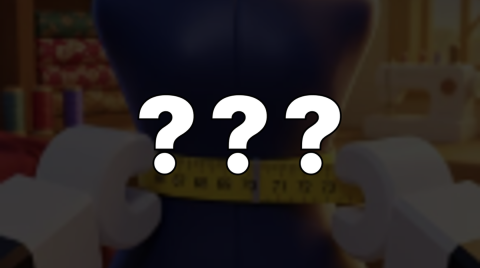
Jellyfi writes and maintains the Make Dresses section on LootWiki. The section collects the developer's game description, update posts and store listings, then arranges them by player task with dated tables and shown arithmetic. All sources were read on 22 October 2026, the same day the section was written.
Which sources support each Make Dresses page?
| Page | Official records used |
|---|---|
| Hub | Roblox games, votes, group and badge records; the maturity rating comes from Roblox's experience-guidelines endpoint (a POST request to apis.roblox.com/experience-guidelines-api/experience-guidelines/get-age-recommendation with this universe ID) |
| Dressmaking steps | Game description; 4, 17 and 20 October update posts |
| Shop prices | Gamepass list (8 records) and developer-product list (24 records) |
| Update log | Four virtual-event posts, read with and without the start cursor |
| Co-Play and competitions | 4, 10, 17 and 20 October posts; server size from the games record |
Unit prices, savings and totals on the shop page are Jellyfi's arithmetic over the listed prices, with the assumptions written beside each table. A community YouTube video is mentioned by its title only; it is not used as a source for any fact.
How should I read the dates and pictures?
The Make Dresses section was first published on 22 October 2026, and its sources were read that day. Event start times date the updates. Store creation dates are reported only as listing dates, and the games API "updated" timestamp is not used, because it does not identify which content changed.
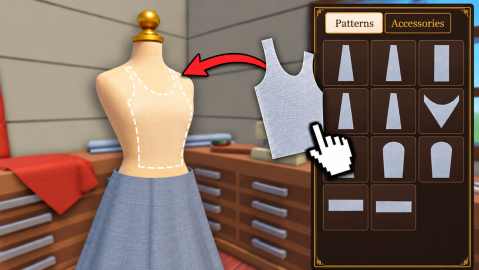
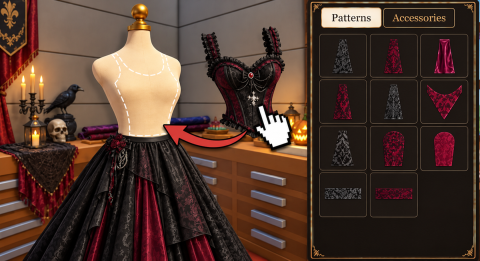
Make Dresses images are developer-uploaded promotional and update art credited to Make A Dress x DT Studios, and cannot show what any purchase delivers.
How can I report a correction?
Send a message through Contact naming the Make Dresses page, the row or sentence that looks wrong, and where the newer information appears, for example a fresh update post or a changed store listing. Prices are easiest to fix when you quote the item exactly as the purchase prompt shows it. Please leave out any account or payment information. Site-wide standards are set out in the Editorial Policy.
Guides by Jellyfi
Make Dresses Co-Play and Competitions: How They Work
How Make Dresses Co-Play invites, shared coins and XP, the Global Competition and new Custom Competition rooms work, per the developer's posts.
How to Make a Dress in Make Dresses: Steps and Earnings
The Make Dresses dressmaking order from the official description: measure, choose patterns and fabric, cut, pin and sew, decorate, then complete orders.
Make Dresses Gamepasses, Crates and AutoSew Prices
Every Make Dresses gamepass and developer product with Robux prices checked 22 October 2026, plus per-crate and per-AutoSew unit costs for each bundle size.
Make Dresses Updates: Co-Play, Halloween and Competitions
A dated Make Dresses update log from the developer's event posts: Co-Play, thread colours, console, Global Competition, Halloween and Custom Competitions.
Sources
The mechanics and numbers in this guide come from the material below. Open the original pages to check them yourself.
- S001 games.roblox.com games.roblox.com Accessed
- S002 groups.roblox.com groups.roblox.com Accessed
- S003 apis.roblox.com apis.roblox.com Accessed
- S004 apis.roblox.com apis.roblox.com Accessed
- S005 apis.roblox.com apis.roblox.com Accessed
- S006 apis.roblox.com apis.roblox.com Accessed
- S007 thumbnails.roblox.com thumbnails.roblox.com Accessed