How to Play LONGSHOT: Controls, Wind and Bullet Drop
Scope: The job, the aiming factors and the controls as printed in the official game description, plus terms that appear in pass, product and badge descriptions, all read from Roblox's public data on 2026-10-11 (UTC); rifle names and stats, how wind and drop are shown on screen, what holding breath does, contract scoring and Cash or XP amounts are not stated by the developer and are not covered
Key points
- In LONGSHOT you are a hitman for Blackfile. The description sums up a job in one line: "They hand you a document, you find the person in it, and you get one clean shot."
- Before firing you are told to read the target's tells, pick them out of a busy crowd and account for wind and bullet drop. A badge text adds one more factor, lead.
- PC controls: right click scope, left click fire, mouse wheel zoom, Shift hold breath, R reload, B binoculars, Q tag a target, hold Alt to free the mouse, P pause, H hide the controls card.
- The mobile line lists drag, pinch and three on-screen buttons. The controller line lists LT, RT, LB/RB and A, and names no reload, binoculars or tag input.
On this page
- What is the job in LONGSHOT?
- What do you have to judge before you fire?
- What are the PC controls in LONGSHOT?
- How do you play LONGSHOT on mobile or with a controller?
- What do you earn from a LONGSHOT contract?
- What should you do in your first LONGSHOT session?
- What does the LONGSHOT developer not state?
- Sources
- Related guides
In LONGSHOT you are a hitman working for Blackfile. Each job gives you a document, and you find that person and take one shot, allowing for wind and bullet drop. On PC, right click scopes, left click fires, the mouse wheel zooms and Shift holds your breath. Mobile and controller get one line each in the official description.
Everything on this page comes from the LONGSHOT description and from the pass, product and badge texts the developer has registered on Roblox, read on 11 October 2026. Advice is marked as advice.
What is the job in LONGSHOT?
The description opens with it: "You're a hitman working for Blackfile. They hand you a document, you find the person in it, and you get one clean shot."
The second paragraph gives the place and the opposition. "Port Veyra belongs to a crime ring called the Hollow Crown. Work your way through the Docklands, the Old Market and Financial Row." Those three are the only places, besides Port Veyra itself, that the description names.
The modes guide covers the campaign, the Daily contract and Endless, as far as the official text goes.
What do you have to judge before you fire?
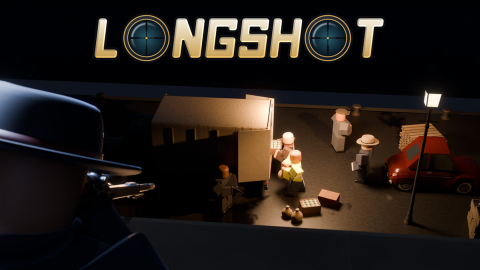
The LONGSHOT description lists four things in one sentence: "Read each target's tells, pick them out of a busy crowd, and account for wind and bullet drop."
| Factor | Official wording | What is not stated |
|---|---|---|
| Tells | "Read each target's tells" | What a tell looks like, and whether the document describes it |
| The crowd | "pick them out of a busy crowd" | How many bystanders there are, and the penalty for a wrong shot |
| Wind | "account for wind" | How wind is shown on screen and how strong it gets |
| Bullet drop | "and bullet drop" | The distance at which drop starts to matter |
| Lead | "Wind, drop, lead: all of it right." (Long Shot badge text) | Whether every target moves |
The fifth row comes from a badge, not the description. Long Shot is awarded for "A target down at 500 studs or more", and its text ends with the three things you had to get right. The badge guide has the numbers on how often it has been awarded.
The description also mentions a bullet cam: "Nail the big ones and the bullet cam rides the round all the way in." It does not say which targets count as the big ones.
What are the PC controls in LONGSHOT?
Ten lines under the heading "PC CONTROLS". The left two columns are the developer's words. The third is our note on what the line implies and what it leaves open.
| Input | Official action | Our note |
|---|---|---|
| Right click | scope | Scoping is a separate input from firing |
| Left click | fire | The description says you get "one clean shot" |
| Mouse wheel | zoom | Zoom levels are not listed |
| Shift | hold breath | What holding breath changes is not stated |
| R | reload | Magazine sizes are not listed |
| B | binoculars | A second way to look, apart from the scope |
| Q | tag a target | What a tag does, and who sees it, is not stated |
| Hold Alt | free your mouse | Works only while the key is held |
| P | pause | Whether pause works in multiplayer modes is not stated |
| H | hide the controls card | So the game has an on-screen controls card |
Binoculars and tagging sit next to each other in the list, and the job is to find one person in a crowd. Our reading is that B and Q are the search tools and the scope is for the shot. That is a reading of a key list.
How do you play LONGSHOT on mobile or with a controller?
The description gives each one a single line.
| Platform | Official line | Inputs it names |
|---|---|---|
| Mobile | "Mobile: drag to look, pinch to zoom, and use the on-screen scope, fire and breath buttons." | Look, zoom, scope, fire, breath |
| Controller | "Controller: LT scope, RT fire, LB/RB zoom, A to hold breath." | Scope, fire, zoom, hold breath (A) |
Compare those with the PC list. Six of the ten PC lines have no counterpart in either: reload, binoculars, tag a target, free your mouse, pause and hide the controls card. Reload, binoculars and tagging are the three that are gameplay actions.
They may be handled automatically or sit on buttons the line leaves out. The developer does not say, so check the on-screen controls card when you first load LONGSHOT on a phone or with a pad.
The controller line uses LT, RT, LB and RB. It does not name a console.
What do you earn from a LONGSHOT contract?
The description says nothing about rewards. The store and badge records fill in the vocabulary, one term at a time.
| Term | Where it appears | Official wording |
|---|---|---|
| Cash | VIP Agent pass | "+50% Cash from contracts" |
| XP and rifle mastery | Veteran's Ledger pass | "+50% XP and +50% rifle mastery progress from every PvE contract. Level up and unlock camos faster." |
| Stars | By the Book badge | "Every star on a file in a single run." |
| Gold | Five Gold packs | "Gold buys rifles, rifle upgrades and attachments, camos and the Agency Pass." |
| Rank | Agency Pass Premium product | "its rewards unlock as you rank up" |
| Loadout presets | Armory Expansion pass | "Five loadout presets instead of two" |
So the LONGSHOT records name at least two money-like terms, Cash and Gold, and only Gold has packs for sale. The Veteran's Ledger text adds XP, levels, rifle mastery progress and camos to earn, and a badge adds stars on a file. The shop guide works out a rate for each Gold pack from its name.
No official text gives a Cash or XP amount for any contract. What Cash buys is not stated either. The game pass guide quotes all five passes in full.
What should you do in your first LONGSHOT session?
This is our suggested order, built on the official text and nothing else.
- Find the controls card. The H key hides it, so the game has one, and it should list the inputs for your device.
- Practise one sequence until it is automatic: scope with right click, zoom with the wheel, hold your breath with Shift, then fire.
- Try the binoculars (B) and the tag (Q) before you scope. The job is finding the person first.
- Clear one contract. The Welcome to Blackfile badge is awarded for "Cleared your first contract", and it had been handed out 248,345 times when we checked.
- Go for every star on one file. By the Book asks for "Every star on a file in a single run", and it had 92.3 awards for every 100 Welcome to Blackfile awards.
- Leave Robux for later. LONGSHOT is free to enter, and no line in the description says a purchase is needed.
What does the LONGSHOT developer not state?
- Rifle names, damage, zoom ranges or reload times.
- How wind and bullet drop are displayed, and what holding your breath does.
- What a tell is, and how the document describes the target.
- How a contract is scored and what each star requires.
- How much Cash or XP any contract pays, and what Cash is spent on.
- Whether a missed shot or a wrong target ends the contract.
- Any code. The LONGSHOT hub explains why there is no codes page.
These stay off the page until the developer states them. Nothing here is copied from other sites or videos.
Sources
The mechanics and numbers in this guide come from the material below. Open the original pages to check them yourself.
- S001 games.roblox.com games.roblox.com Accessed
- S002 badges.roblox.com badges.roblox.com Accessed
- S003 apis.roblox.com apis.roblox.com Accessed
- S004 apis.roblox.com apis.roblox.com Accessed
- S005 www.roblox.com www.roblox.com Accessed
- S006 groups.roblox.com groups.roblox.com Accessed
- S007 create.roblox.com create.roblox.com Accessed
Related guides
LONGSHOT Game Modes: Campaign, Daily, Endless, Duels
LONGSHOT's official description names seven modes by our count: campaign, Daily contract, Endless, co-op, Duel, Squad Duel, Crowd Hunt. What it says of each.
LONGSHOT Badges: All 5 Texts and Award Counts
All 5 LONGSHOT badges with their official text and award counts on 11 October 2026: Welcome to Blackfile, Long Shot, By the Book and two much rarer ones.
LONGSHOT Game Passes: All 5 Prices and Descriptions
The 5 LONGSHOT game passes on Roblox's record: Armory Expansion (149 Robux), Extra Run Life (249), Veteran's Ledger (249), 2x Cash (399) and VIP Agent (449).