How to Play Deep Fishing: Cast, Sell, Upgrade
Scope: Roblox experience Deep Fishing as listed on 2026-09-29, made by the group LazyGames. Later updates can change menus and numbers
Key points
- Hold and release to cast, and the line only starts fishing once it reaches the water.
- One cast can bring back several fish at once; you sell them for coins.
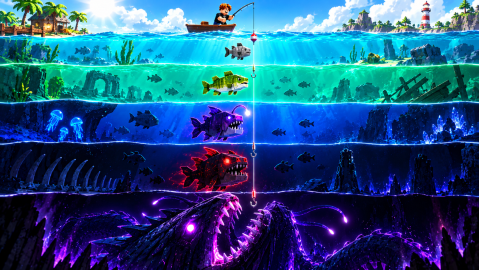
- Coins and upgrades push your cast further, and further water holds rarer fish.
- Strength is the stat the developer names for throwing farther — start there.
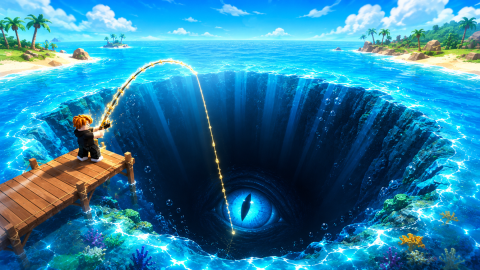
Deep Fishing is a Roblox fishing simulator where distance is everything. You hold and release to cast, your line starts fishing once it hits the water, and a single throw can haul in several fish. Sell the catch for coins, upgrade Strength to throw farther, and farther water holds rarer fish.
That is the whole loop, and it comes straight from the developer's own listing on Roblox, written by the group LazyGames. The rest of this page turns those lines into a first-session plan, and marks clearly where the listing stops and our advice begins.
What does the developer say the game is about?
The official description is short, so it is worth reading exactly. The table below lines up each promise from the Roblox listing with what it means for your first hour.
| Official line | What it means in practice |
|---|---|
| Cast your fishing rod as far as possible and reel in tons of fish | The distance of your cast is the main thing you are improving |
| Upgrade your Strength to throw farther | Strength is the stat tied to cast distance |
| Reach new waters with rarer fish | Rarity is linked to how far out you can reach |
| Catch multiple fish in a single cast | One throw is a haul, not a single bite |
| Sell your fish and become the ultimate angler | Fish turn into coins, coins turn into upgrades |
Roblox files the experience under Simulation and the sub-genre Incremental Simulator. That label is a good hint: the numbers keep climbing, and every purchase exists to make the next cast a little longer.
How do you cast and start fishing?
The listing's "How to play" section gives four steps: hold and release to cast your rod, reach the water to start fishing, catch multiple fish at once, then upgrade and cast even farther. Two details matter here.
First, casting is a hold, not a tap. The release is what sends the lure out, so a rushed click throws short. Second, nothing happens until the lure lands in water. A throw that falls short does not count as fishing, which is why distance upgrades matter so much.
How the power meter looks and exactly where the buttons sit are not covered in the official text, and we have not recorded them ourselves yet, so this guide does not describe them.
What do you do with a full haul?
You sell it. Coins are the main currency, and the developer's own Double Coins game pass ("Earn 2x more coins!") confirms that coins come from your catches. There is also an XP track: the Double XP pass promises "2x more XP", so fishing levels you up alongside earning money. See the game pass guide for what each pass does.
If selling by hand gets tedious, the Auto Sell pass is described as "Sell your fish automatically". It is a convenience, not a power boost, and we cover when it gets in the way on the rarity and mutations page.
What should you spend your first coins on?
Here the official text only gives one clear pointer: Strength makes you throw farther. Our suggestion is to keep the first sessions simple:
- Cast, sell, repeat until you can afford an upgrade.
- Put early coins into the stat that moves distance (Strength).
- Save up for the next rod once upgrades start feeling slow.
That third step is where most players get stuck. The game has a long rod ladder — 21 rods can be unlocked with Robux alone, from the Iron Rod to the Galaxy Rod. Our rod list has the full order.
The developer also sells eight tiers of paid "Stat Upgrade" products. They exist, but the listing does not say what each one gives, so we do not recommend them blind.
Is luck worth chasing early?
Luck appears everywhere in the store: three luck passes, server-wide luck boosts, and luck on single throws. That tells you luck matters, but the official description ties rarer fish to reaching new water. Our reading: luck cannot move your lure into water you cannot reach yet.
So we treat luck as a second step. Once you are throwing into new water, a luck boost has rarer fish to work with; before that, the listing gives no reason to expect it to replace distance. Exact luck odds are not published. The Rods & Upgrades section lays out where each paid item fits.
Can you play with friends?
Yes, in public servers. Each server holds up to 12 players, according to the Roblox listing. Private servers are not enabled for this experience at the time of writing, so you cannot rent a quiet server for a group.
Some store items affect everyone in the server, such as the "Server Luck" boosts from x2 to x16. If someone buys one while you are there, it is a good moment to fish.
Where to go after this page
Your next stop depends on what you want:
- Hunting rare catches? Read rarity tiers and mutations.
- Planning purchases? Start with the rod list.
- Want the official group and Discord? See community links.
Sources
The mechanics and numbers in this guide come from the material below. Open the original pages to check them yourself.
- S001 Roblox listing games.roblox.com Accessed
- S002 apis.roblox.com apis.roblox.com Accessed
- S003 apis.roblox.com apis.roblox.com Accessed
- S004 groups.roblox.com groups.roblox.com Accessed
Related guides
Deep Fishing Rarity Tiers, Mutations and Secret Odds
Deep Fishing rarity explained with official badge data: how many players ever land a Legendary, Mythical or Secret fish, and why mutations are far more common.
v2026-09-28 updateAll Deep Fishing Rods in Order: Iron to Galaxy Rod
Every Deep Fishing rod in order, from the Iron Rod to the Galaxy Rod, with the official Robux unlock price for all 21, plus two Exclusive rods and two skins.
v2026-09-28 updateDeep Fishing Game Passes: All 9 Passes and Prices
All nine Deep Fishing game passes with official prices and descriptions: Lucky to Ultra Lucky, Auto Sell, Fish Magnet, Double Coins, and which suits your play.
v2026-09-28 update