+1 Stone Skipping Beginner Guides: Where to Start
Key points
- Start by throwing: the official description says every bounce gives +1 Skill, training and levels add distance, and farther zones pay more Wins.
- Spend no Robux in your first session. On 10 October 2026 the cheapest product was Skill Multiplier [TIER 1] at 5 Robux and the two cheapest passes cost 25 Robux each.
- On 10 October 2026 the game had no Roblox badges, so track progress by level, longest throw and world; the official event titles listed that day named Worlds 3 to 6.
- Three guides cover the rest: how to play, updates and events, and the official community.
New to +1 Stone Skipping? Throw first: the official description says every bounce gives +1 Skill, training and levelling up make you throw farther, and farther zones pay more Wins. Keep your Robux until you have played a session. Then read how to play, which goes through the six gameplay lines one by one.
The official description of the game is eight short lines (an opening line, six gameplay lines and a closing line asking for a like and favourite), and the store items have no descriptions at all. These guides stay inside that evidence. Where the developer has said nothing, the page says "not shown in public data" instead of filling the gap with a guess. Store names, prices and counts on this page were read from Roblox at 05:20 UTC on 10 October 2026. Anything added to the store after that minute is not counted here, so the live lists can be longer.
Which guide answers your question?
| Your question | Read this |
|---|---|
| What do I actually do in this game? | How to play |
| Which worlds and store items have arrived since launch? | Updates and events |
| Are there codes? Is there a Discord? | Codes, group and Discord |
| What do the game passes cost? | Game passes |
How to Play +1 Stone Skipping: Skill, Zones and Wins
How +1 Stone Skipping works, line by line from the official Roblox description: +1 Skill per bounce, levels, zones and Wins, stones, pets, Rebirth and Worlds.
v2026-10-08 update+1 Stone Skipping Updates: Admin Abuse and Event Times
+1 Stone Skipping update history from official Roblox data: the ADMIN ABUSE + WORLD 5 window, the World 6 and Halloween listings, and a dated store timeline.
v2026-10-08 update+1 Stone Skipping Codes, Meow Labs Group and Discord
Are there +1 Stone Skipping codes? Where we looked and why we list none, the official Meow Labs Roblox group in numbers, Discord status and private servers.
v2026-10-08 update
What should you do in your first session?
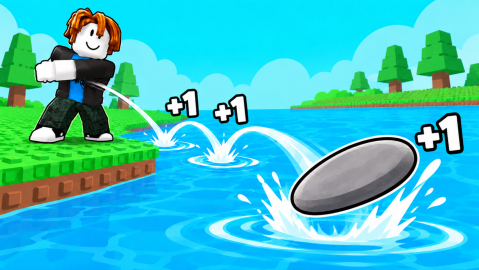
Our suggestion, using only what the developer has published. Throw, and watch Skill rise by one per bounce. Train when the game offers it, because levels are what make you throw farther. Try to reach a zone you have not reached before, since farther zones pay more Wins.
When you can hatch a pet, do it and read the boost it shows. Rebirth when the game allows it, because the description ties Rebirth to growing stronger. Leave Robux alone until you know which part of the loop slows you down; the Robux shop guides are there for that moment.
How does the free loop line up with the store?
Each step of the loop has a free route in the description and paid items beside it in the store. The pairing below is our reading of item names, because no pass or product has a description. Prices are the official Robux figures on 10 October 2026.
| Step | Free route, in the developer's words | Paid items with a matching name (Robux) |
|---|---|---|
| Skill | "Every bounce gives you +1 Skill!" | Skill Multiplier [TIER 1] (5) |
| Distance | "Train and level up to throw farther!" | Koi Training Zone pass (99) |
| Wins | "Reach farther zones to earn more Wins!" | Auto Wins pass (25), Wins Pack 1 (25) |
| Pets | "Collect pets for powerful boosts!" | Rainbow Egg (45) |
| Rebirth | "Rebirth to grow stronger and beat your longest throw!" | Skip Rebirth (35), Auto Rebirth pass (149) |
The description does not say what Skill or Wins are spent on. Stone prices, level thresholds and the Wins each zone pays are not shown in public data, so which in-game upgrade to buy first is not confirmed. The Skill and Wins boosts guide covers the paid side of both counters.
Which Robux purchases make sense for a new player?
None yet, in our view, until you have played a session. If you do want to spend, price is the only published fact to go on: when we read the store at 05:20 UTC on 10 October 2026, all 11 game passes and all 90 developer products had empty descriptions. This table is our opinion from prices alone, not an official recommendation, and every price and ranking in it (cheapest, joint-cheapest, most expensive) is as read on that date.
| Item | Type | Robux | Our view for a beginner |
|---|---|---|---|
| Skill Multiplier [TIER 1] | Product | 5 | The cheapest item on sale; the smallest way to test a tier |
| Auto Wins | Pass | 25 | Joint-cheapest pass with Hatch +3 Eggs [STACKS]; its effect is read from the name only |
| Starter Pack | Product | 39 | No contents list is published; check the in-game prompt |
| 2x Wins [PERMANENT] | Product | 59 | Cost the same as Wins Pack 2 on that date |
| Skill Multiplier [TIER 12] | Product | 3,999 | Wait: the most expensive item on sale, with no multiplier value published |
The three pet passes show why the biggest option is not always the best rate. On that date +1 Pet cost 69 Robux, +3 Pets 195 and +6 Pets 499, which works out at 69, 65 and about 83 Robux per pet if each number is a count. The game pass guide works through all 11 passes, and the eggs and pets guide does the same for egg bundles.
What should you check before you spend?
Every price in this table was read from Roblox's pass and product lists at 05:20 UTC on 10 October 2026, and the description and group details were read on the same date.
| Trap | What the official lists showed | What to do |
|---|---|---|
| One name, two prices | Admin Training Zone was a 599-Robux pass and a 195-Robux product; Golden Training Zone was a 249-Robux pass and a 315-Robux product | Read the purchase prompt before you confirm |
| One pack, two prices | Wins Pack 5 cost 575 Robux; Wins Pack 5 [20% OFF] cost 459 | Check which one the game offers you |
| Codes from fan sites | The game description contained no code; the group description read "meow?" and the group shout was empty | Treat them as unconfirmed |
Every row came from Roblox's own listings on that date. Whether the game has a code box at all is not confirmed. The community page shows each place we looked.
How do you track progress without badges?
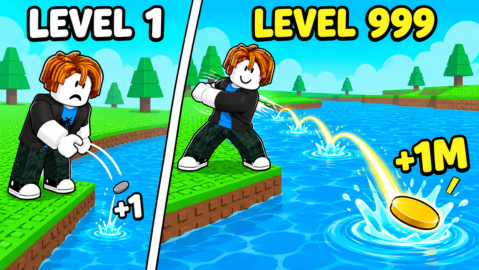
When we read Roblox's badge list on 10 October 2026 (UTC), +1 Stone Skipping had no Roblox badges, so there was no badge list to tick off. The markers that official material points to are your level, your longest throw and the world you have reached. Official art sets LEVEL 1 beside LEVEL 999, and the description ends its gameplay lines with "beat your longest throw".
Worlds are dated only by official event titles: World 3 + New Content from 20 September 2026, WORLD 4 + UPDATE from 27 September and ADMIN ABUSE + WORLD 5 on 3 October. How a world unlocks is not confirmed in any official source. The updates page keeps the dated timeline, with the World 6 listing on it.
Which events were scheduled for October 2026?
When we read Roblox's official event listing at 05:21 UTC on 10 October 2026, it returned five events in total. Three had already ended: World 3 + New Content (18:00 UTC on 20 September 2026 to 18:00 UTC on 23 September 2026), WORLD 4 + UPDATE (16:00 UTC on 27 September 2026 to 16:00 UTC on 1 October 2026) and ADMIN ABUSE + WORLD 5 (16:00 UTC to 18:00 UTC on 3 October 2026). The other two had start times after that moment. WORLD 6 + ADMIN ABUSE was listed from 16:00 UTC on Saturday 10 October 2026 to 16:00 UTC on 11 October 2026, described in three lines: Admin Abuse, World 6 and New Features. Halloween Event was listed from 16:00 UTC on 17 October 2026 to 19:00 UTC on 1 November 2026, with no description.
Going by creation dates (UTC), 78 of the 90 developer products listed at 05:20 UTC on 10 October 2026 existed by 2 October, and 12 were created after it. Eight are dated 3 October: Skill Pack 1 [TIER 4], Skill Pack 2 [TIER 4], Skill Pack 3 [TIER 4], +100 Pets Inventory Slots, Rainbow Trail, Void Trail, Skill Multiplier [TIER 11] and Skill Multiplier [TIER 12]. Three are dated 7 October: Witch Egg, Witch Egg x3 and Witch Egg x8. One is dated 9 October: Void Skip.
What do these guides not cover yet?
There is no zone list, no pet tier list, no stone list and no rebirth calculator. The numbers those pages need are not published in any official source we can read. The how to play guide ends with a table of what is still unknown, so you can see the gaps rather than trip over them.
Sources
The mechanics and numbers in this guide come from the material below. Open the original pages to check them yourself.
- S001 games.roblox.com games.roblox.com Accessed
- S002 apis.roblox.com apis.roblox.com Accessed
- S003 apis.roblox.com apis.roblox.com Accessed
- S004 badges.roblox.com badges.roblox.com Accessed
- S005 apis.roblox.com apis.roblox.com Accessed
- S006 apis.roblox.com apis.roblox.com Accessed
- S007 groups.roblox.com groups.roblox.com Accessed
- S008 thumbnails.roblox.com thumbnails.roblox.com Accessed
- S009 thumbnails.roblox.com thumbnails.roblox.com Accessed