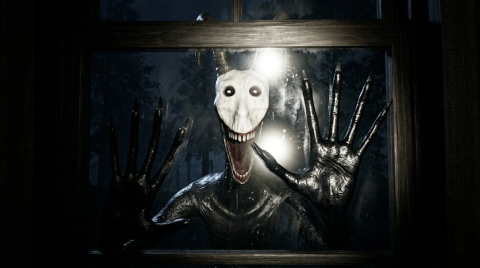
IT WANTS IN Push Instructions and Shop Prices
Scope: Compiled from the official Roblox pass and developer-product listings, checked on 20 October 2026.
Key points
- Push was listed at 99 Robux and explicitly described as owned forever.
- Its instructions are 1 to equip, then click to push a person in front.
- Six other products have names and prices but empty descriptions in the checked list.
- Prices were checked on 20 October 2026; review the actual prompt before buying.
On this page
The IT WANTS IN Push pass was listed at 99 Robux on 20 October 2026. Its description says to press 1 to equip and click to push a person in front of you, and describes ownership as permanent. Six developer products are also listed below, with their names and prices kept separate from unconfirmed effects.
How does the developer describe using Push?
The pass description tells you to equip it with 1, then click to push a person in front of you. It frames the action as shoving friends into the dark and says the pass is owned forever. That is the published description.
The description does not say that the creature is a valid target or that the pass protects you from it. Do not treat a friend-pushing ability as a confirmed monster counter. The general keyboard reference covers the six controls listed separately in the experience description.
| Push listing checked on 20 October 2026 | Value |
|---|---|
| Listed price | 99 Robux |
| Equip input in its description | 1 |
| Action input in its description | Click |
| Described target | A person in front of you |
| Ownership wording | Owned forever |
What are the other listed purchase prices?
The official developer-product list returned these six entries. Each description field was empty at the check, so the table reports the listing without inventing a duration, recipient, refund rule or gameplay result.
| Exact product name | Listed Robux price |
|---|---|
| Jumpscare ALL (👻) | 129 |
| Respawn (♥️) | 49 |
| Lockdown The House (🔒) | 250 |
| Skip A Hour (⌛) | 250 |
| Blackout (🌙) | 99 |
| Survival Pup (🐕) | 49 |
Respawn and Survival Pup were each listed at 49 Robux. Lockdown The House and Skip A Hour were each listed at 250 Robux. Equal prices are a comparison of the listings, not proof of equal value or equivalent effects.
What should you compare before accepting a prompt?
Match the exact item name and the price currently shown to you. The figures on this page are a dated source check. For the six products with empty descriptions, read any explanation the game actually displays before deciding; their names alone do not settle what is delivered or for how long.
Push has a written ownership statement; the other six entries do not supply one in this listing. This page therefore makes that distinction explicit without assigning each product a guessed persistence rule. The badge conditions also remain separate from the shop: no listed badge description names one of these purchases as its requirement.
The game overview keeps the cabin’s stated objective in view. For a correction to this price reference, send the exact listing and a current official source through Contact, following the source policy.
Sources
The mechanics and numbers in this guide come from the material below. Open the original pages to check them yourself.
- S001 apis.roblox.com apis.roblox.com Accessed
- S002 apis.roblox.com apis.roblox.com Accessed
- S003 games.roblox.com games.roblox.com Accessed
- S004 badges.roblox.com badges.roblox.com Accessed
Related guides
IT WANTS IN PC Controls and Lobby Options
Check all six IT WANTS IN keyboard bindings for running, crouching, flashlight, battery swaps, interaction and the lobby menu, plus official lobby options.
IT WANTS IN Badges: First Play and Five Nights
Tell apart the two IT WANTS IN Be Kind, Rewind badges, match every night to its official condition, and identify the Night 5 story completion badge.