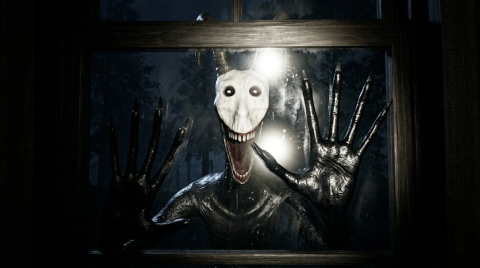
IT WANTS IN PC Controls and Lobby Options
Scope: Compiled from the official Roblox experience description and pass listing, checked on 20 October 2026.
Key points
- Shift runs; C crouches.
- F is the flashlight key and R swaps the battery.
- E interacts and L opens the lobby menu.
- No Power Start and Friends Only are listed options, without a detailed rules explanation.
On this page
IT WANTS IN lists six keyboard controls: Shift to run, C to crouch, F for the flashlight, R to swap a battery, E to interact and L for the lobby menu. The table below keeps those bindings together so you can check an action quickly while preparing for the cabin’s overnight survival objective.
Which key performs each action?
| Action in the official control list | Keyboard key |
|---|---|
| Run | Shift |
| Crouch | C |
| Flashlight | F |
| Swap Battery | R |
| Interact | E |
| Lobby Menu | L |
F and R have different jobs: the list labels one for the flashlight and the other for swapping its battery. E is the general interaction binding. The official list does not give extra key combinations, a battery location or a timing window for these actions.
The game overview gives the developer’s curtain, window, fire and breaker priorities. Use the controls here to identify the listed input; this is not a route through those tasks. For progress already earned, the badge table identifies the achievement condition separately.
Which lobby options does the developer list?
The two named options are No Power Start and Friends Only. L is separately listed as the lobby-menu key. The description does not spell out additional consequences of either option, so this page does not assign them an unverified difficulty modifier, reward or achievement rule.
Is Push part of this keyboard list?
Push is described on a separate paid pass, rather than among the six general controls. Its listing says to equip it with 1 and click to push a person in front of you. The Push and purchase reference gives the written scope and the dated price; it does not promise that Push defeats the creature.
Do these keys describe mobile and console controls?
The developer advertises support for phones, computers and consoles. That does not turn a keyboard list into a verified map of touch buttons or controller inputs. The six rows above are the PC bindings actually published in the description.
If a binding changes, a report through Contact should include the action, the device and a current image of the game’s own control instructions. Our source and correction policy explains how a specific correction is reviewed.
Sources
The mechanics and numbers in this guide come from the material below. Open the original pages to check them yourself.
- S001 games.roblox.com games.roblox.com Accessed
- S002 apis.roblox.com apis.roblox.com Accessed
Related guides
IT WANTS IN Badges: First Play and Five Nights
Tell apart the two IT WANTS IN Be Kind, Rewind badges, match every night to its official condition, and identify the Night 5 story completion badge.
IT WANTS IN Push Instructions and Shop Prices
Read the official IT WANTS IN Push instructions, its 99 Robux listing, and six product prices. Compare documented benefits without guessing item effects.