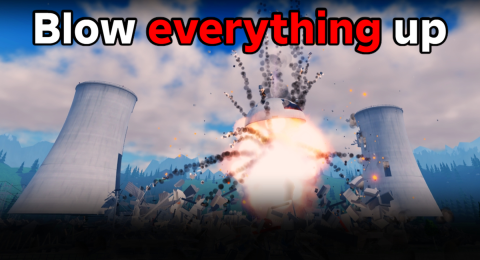
Create A Disaster Guides: Find Your Next Answer
Key points
- Start with how to play for the blow-up, earn and unlock loop.
- The disasters page lists everything the developer names.
- Updates, passes and the shop each have their own page.
Use this Create A Disaster directory to pick between gameplay answers and paid-offer references. New players should read how to play first; anyone about to spend Robux should compare the passes with the shop.
Are you learning the game?
The how-to-play guide covers the loop and the disasters page lists what the developer names.
Are you following updates?
The updates page lists three dated updates.
Are you comparing offers?
Permanent perks are on the game pass page; one-off products are on the Robux shop page.
| What you need | Page | Main information |
|---|---|---|
| Basics | How to Play | Blow up, earn, unlock |
| Disasters | Disasters | 7 named |
| Updates | Updates | 3 listings |
| Pass perks | Game Passes | 4 passes |
| Shop items | Robux Shop | 8 products |
Sources
The mechanics and numbers in this guide come from the material below. Open the original pages to check them yourself.
- S001 games.roblox.com games.roblox.com Accessed
- S002 apis.roblox.com apis.roblox.com Accessed
- S003 apis.roblox.com apis.roblox.com Accessed
- S004 apis.roblox.com apis.roblox.com Accessed
Related guides
How to Play Create A Disaster: Blow It Up, Earn, Unlock
How to play Create A Disaster: blow everything up for cash, unlock more disasters, chain them for combo bonuses and like the game to unlock the next update.
Create A Disaster Disasters List: Meteors, Kraken, Kaiju
Every Create A Disaster disaster the developer names: meteors, tornadoes, nukes, black holes, the Kraken, a giant Kaiju and a crashing space station.
Create A Disaster Updates: Nuclear Facility, AI Cars, City
The three Create A Disaster updates on Roblox: Nuclear Facility, AI Cars + Tank and City Map + 4 Disasters, with UTC dates and what each adds.
Create A Disaster Game Passes: All 4 with Prices
All 4 Create A Disaster game passes with Robux prices: 2x Coins, Unlimited NPCs, Tank and Unlock All Disasters, read from Roblox on 1 November 2026 (UTC).
Create A Disaster Robux Shop: Coin Packs and Disasters
Every Create A Disaster developer product: four Coin Packs, Exclusive Disaster +1 and +5, Starter Pack and Restore Streak. 8 products read 1 November 2026.