Author: Jellyfi, Create A Disaster Guide Editor
Key points
- Jellyfi is the editorial byline responsible for researching, publishing and maintaining these guides.
- Facts come from the developer's own Roblox records, each read and dated on the day shown on the page.
- Last checked is the day a page was compared with its sources; Roblox numbers are snapshots from that day.
- Spotted something out of date? Report it through the Contact page with a screenshot.
Jellyfi is the editorial byline on LootWiki, responsible for researching, publishing and maintaining the Create A Disaster guides on this site. Every guide under that byline is listed on the hub page.
How these guides are researched
Create A Disaster is a Roblox game, so the most reliable facts are the ones the developer registers on Roblox: the game description, game passes, developer products and event listings. We read them from Roblox's public data, quote the wording and state the date we read it.
When a community source adds nothing we can verify, the guides say so rather than filling the gap. Buying orders and "what to do first" advice are editorial suggestions and each page says so where it matters.
How to read the dates on a page
Published is when the page went live. Last checked is when the text was compared with its sources. Prices, visit counts and vote counts are snapshots from that day, and the in-game shop can change at any time.
Found a mistake?
The game can change. If a price, name or menu no longer matches the game, use the Contact page and include the page link and a screenshot from the game.
Where to start
New players: how to play. Planning purchases: the game pass list and the Robux shop.
Guides by Jellyfi
Create A Disaster Disasters List: Meteors, Kraken, Kaiju
Every Create A Disaster disaster the developer names: meteors, tornadoes, nukes, black holes, the Kraken, a giant Kaiju and a crashing space station.
Create A Disaster Game Passes: All 4 with Prices
All 4 Create A Disaster game passes with Robux prices: 2x Coins, Unlimited NPCs, Tank and Unlock All Disasters, read from Roblox on 1 November 2026 (UTC).
How to Play Create A Disaster: Blow It Up, Earn, Unlock
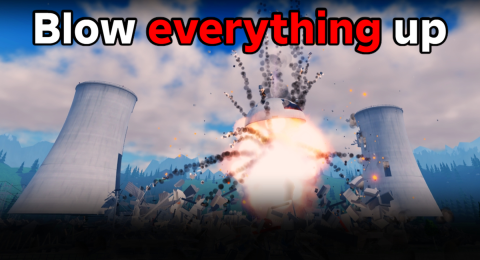
How to play Create A Disaster: blow everything up for cash, unlock more disasters, chain them for combo bonuses and like the game to unlock the next update.
Create A Disaster Robux Shop: Coin Packs and Disasters
Every Create A Disaster developer product: four Coin Packs, Exclusive Disaster +1 and +5, Starter Pack and Restore Streak. 8 products read 1 November 2026.
Create A Disaster Updates: Nuclear Facility, AI Cars, City
The three Create A Disaster updates on Roblox: Nuclear Facility, AI Cars + Tank and City Map + 4 Disasters, with UTC dates and what each adds.