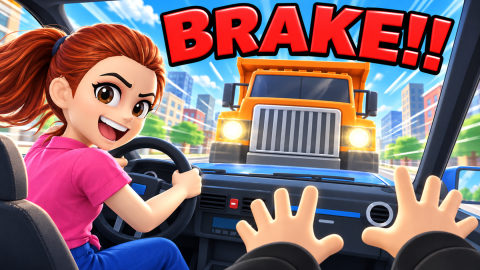
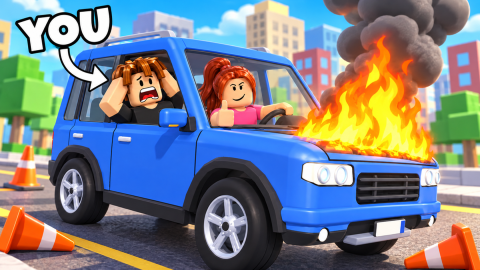
How to Play Teach Your Sister How To Drive: Voice and Q Commands
Scope: Official game description and update notes read 30 October 2026 (UTC)
Key points
- With a microphone, hold SPACE and say a command such as "turn left", "slow down" or "STOP"; Mia follows it, mostly.
- Without a mic, hold Q or tap TELL MIA and pick a command from the list.
- Press F, or the POWER button, while Mia drives to trigger your vehicle's power.
- A Revive rewinds three seconds with the car fully repaired; the Infinite Revives pass caps free revives at 5 per lesson run.
On this page
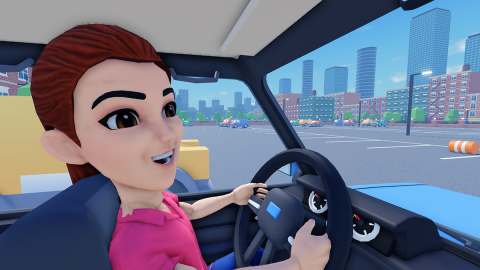
In Teach Your Sister How To Drive you steer with words, not a wheel: hold SPACE and say what Mia should do, or hold Q and pick the command. The developer's description calls out "turn left", "slow down" and "STOP" as examples, and warns that Mia does what you say "mostly". Up to 20 players can share a server.
How do the voice commands work?
If you have Roblox voice chat, the description says to hold SPACE and say the command aloud. The three examples printed there are "turn left!", "slow down!" and "STOP!!". The description's intro also lists the actions you coach: turn, brake, slow down, honk and buckle up.
Holding the key matters: the description says to hold SPACE and "just say it", so speaking without the key held is not what the developer describes. Voice chat availability depends on your Roblox account settings, which this guide cannot check for you.
What if you have no microphone?
The description answers this directly: "No mic? No problem!" Hold Q, or tap the TELL MIA button on a touch screen, and choose a command from the list. The same coaching actions are available, so a missing microphone does not lock you out of any lesson in the descriptions we read.
How do vehicle powers work?
The New Cars update note says every one of its 11 vehicles has its own power, triggered by pressing F or the POWER button while Mia drives. The vehicle guide lists each power as the shop describes it. The New Lessons note adds that powers now "blast people out of the way", and it names the Mega Mech as an example to try.
How do revives and lesson skips work?
A Revive is described as "Crashed? Go back 3 seconds, fully repaired, and keep driving!" One Revive costs 10 Robux; the Infinite Revives pass says revives are free forever, "up to 5 per lesson run". If a lesson is the problem, Skip Lesson products unlock the next one, priced by difficulty. Both are covered in the Robux shop guide; this is a paid shortcut, not a requirement.
Can you play with friends?
Yes. The description's update note says "Play with Friends: now pick the vehicle your whole party rides in". It does not say how a party is formed, so check the in-game menu. The New Lessons note also says that in the Watch Out! lesson, hitting anyone ends the drive.
What should you do first?
This is our suggestion, not a developer instruction: start with the early lessons in the lessons guide, learn the Q menu even if you have a mic, and hold off on spending until you know which vehicle power you enjoy. Coins from lessons pay for paints, horns and outfits, as the coins page explains.
Sources
The mechanics and numbers in this guide come from the material below. Open the original pages to check them yourself.
- S001 games.roblox.com games.roblox.com Accessed
- S002 apis.roblox.com apis.roblox.com Accessed
- S003 apis.roblox.com apis.roblox.com Accessed
- S004 apis.roblox.com apis.roblox.com Accessed
Related guides
Teach Your Sister How To Drive Lessons: Every Type and Skip Cost
Teach Your Sister How To Drive lessons: parking lots, cone courses, city traffic, a police chase, three new ones and what each skip costs in Robux.
Teach Your Sister How To Drive Vehicles: All Rides and Powers
Every Teach Your Sister How To Drive vehicle listed by Roblox: powers, Robux prices, the two limited rides, chests and the daily gift that gives a Police Car.
Teach Your Sister How To Drive Game Passes: All 11 with Prices
All 11 Teach Your Sister How To Drive game passes with Robux prices and the developer's own wording, from Horn Pack at 99 to the Ultimate Pass at 1,999 Robux.