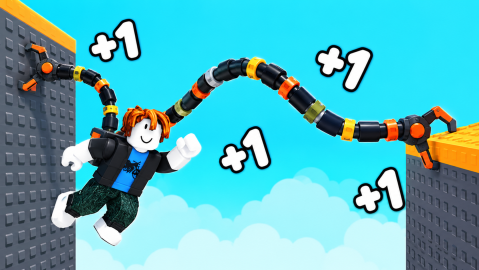
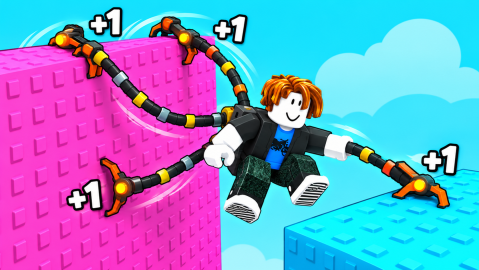
+1 Spider Arm Events: Admin Abuse! and World 2 Dates
Scope: Official Roblox event listings read 1 November 2026 (UTC)
Key points
- Admin Abuse! was listed for 31 October 2026, 14:00 to 17:00 UTC.
- World 2 + Admin Abuse! is listed from 7 November 2026, 14:00 UTC to 8 November, 14:00 UTC.
- The World 2 listing is tagged as a new map; neither listing has a description.
- Both are hosted by the group This Time For Sure.
On this page
+1 Spider Arm has two event listings on Roblox: Admin Abuse! on 31 October 2026 and World 2 + Admin Abuse! starting 7 November 2026 at 14:00 UTC. Both are hosted by the developer group, and neither has a description, so we can give dates and titles but not details. We read them on 1 November 2026 (UTC).
What are the listings?
| Event | Start (UTC) | End (UTC) | Category |
|---|---|---|---|
| Admin Abuse! | 31 Oct 2026, 14:00 | 31 Oct 2026, 17:00 | Festival |
| World 2 + Admin Abuse! | 7 Nov 2026, 14:00 | 8 Nov 2026, 14:00 | New map |
What does World 2 mean?
The listing is categorised as a new map and titled World 2, so a second world is the natural reading, but Roblox gives no text beyond the title and the subtitle "!!!!!!!!". The description already lists 13 stages; see the armatures and stages page.
Has the first event happened?
By the time we read the page on 1 November the Admin Abuse! window had passed. We did not see its contents, so we do not describe what happened in it.
Where can you check updates?
Roblox shows the game's last update time: 1 November 2026, 11:03 UTC when we read it. For what the game offers today, see the how-to-play page and the Robux shop.
Sources
The mechanics and numbers in this guide come from the material below. Open the original pages to check them yourself.
- S001 apis.roblox.com apis.roblox.com Accessed
- S002 games.roblox.com games.roblox.com Accessed
Related guides
How to Play +1 Spider Arm: Climb, Train, Rebirth
How to play +1 Spider Arm: ride a spider armature, hold SPACE to climb, train for +1 arm, earn Wins at stage ends, unlock armatures and rebirth.
+1 Spider Arm Armatures and Stages: 12 Rigs, 13 Stages
What the +1 Spider Arm description says about 13 stages and 12 armatures up to GENESIS, plus the six rig-named passes and their Robux prices, read 1 Nov 2026.