How to Play Clean all the Balls: Six-Yard Guide
Scope: Developer instructions and documented tool descriptions
Key points
- Collect golf balls, sell them at baskets and spend cash on tools and upgrades.
- The developer describes six yards; clearing a yard opens the next area, and the stated finish is 100% cleanup and escape.
- Roller, Sweeper, Vacuum and Kart have different documented collection methods.
- The four permanent-tool descriptions say their match upgrades still reset each match.

On this page
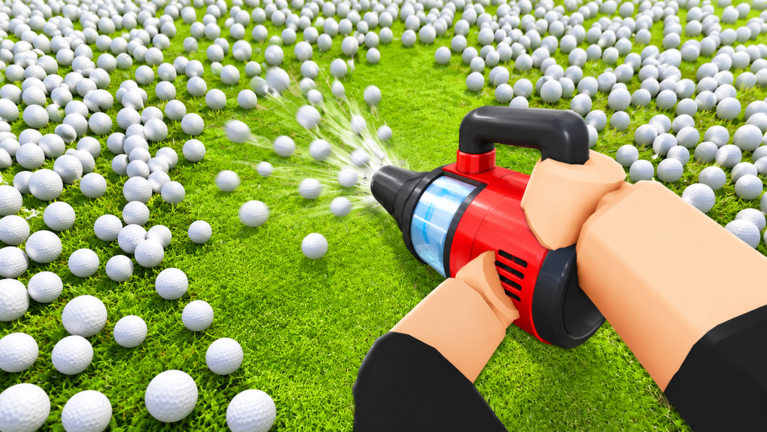
Clean all the Balls asks you to collect golf balls, sell them at baskets and upgrade your tools while a match timer runs. The developer describes six yards that open as you clear them, with a 100% cleanup leading to an escape. Cooperation is part of the stated objective.
What are you actually trying to finish?
Your task in Clean all the Balls is a cleanup, rather than a conventional round of golf. Little Green Studios describes a course covered in thousands of loose balls and asks players to remove them before time expires. The public instructions connect clearing each yard to opening the next area. They name six yards in total, but do not give those yards individual names or publish a route through them.
For a first session, keep those two levels of progress separate: the current yard and the complete six-yard run. That distinction comes from the developer's description, rather than a claim that one particular purchase unlocks an exit. The guide directory separates the documented collecting tools from the Robux product catalog so that you can look up a specific question without treating the shop as the objective.
| Your question | What the developer confirms | Where to look next |
|---|---|---|
| What do I collect? | Golf balls scattered across the course | Collection methods |
| How do I earn cash? | Sell collected balls at baskets | Vacuum and basket details |
| What opens another area? | Clearing the current yard | Core game facts |
| What ends the cleanup goal? | Reach 100% and escape | Beginner reference |
How do collection and selling fit together?
The advertised cash loop in Clean all the Balls has three named activities: collect, sell and upgrade. Baskets are the selling point named in the game description. Cash is then the currency that description connects to buying and upgrading tools. It does not supply a cash-per-ball rate, an upgrade price list or an optimal spending order.
That is enough to understand the purpose of selling without inventing a numerical strategy. If you are comparing paid choices, open the one-match listings and the permanent pass records separately. Those are Robux listings; they should not be confused with the cash purchases mentioned in the basic cleanup instructions. A Robux price in our tables is a dated listing price, not an in-game cash upgrade cost.
Why do the four documented tools work differently?
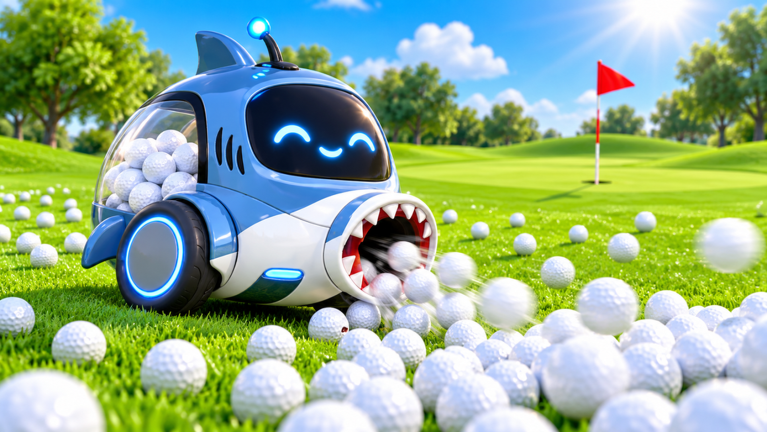
Four tools in Clean all the Balls have descriptions detailed enough to explain their collection method. The Roller gathers balls into a cage as it rolls over them. The Sweeper pushes groups into a Hole to sell them. The Vacuum gathers nearby balls into a reservoir and names a basket as the selling point. The Kart collects through a front roller while you drive across the yard.
| Tool | Action described by the developer | Detailed reference |
|---|---|---|
| Roller | Roll over balls and gather them in a cage | Roller comparison |
| Sweeper | Push groups of balls into a Hole for sale | Sweeper comparison |
| Vacuum | Gather nearby balls in a reservoir, then sell at a basket | Vacuum comparison |
| Kart | Drive and collect balls with the front roller | Kart comparison |
The Clean all the Balls tool descriptions establish actions, not a fastest-tool ranking. No speed, collection-radius or capacity measurements accompany them. The tool guide therefore compares what you do with each tool, rather than promising a shorter completion time.
What survives the next match?
Read the duration attached to a Clean all the Balls tool before paying for it. Each of the four documented tools appears as a developer product labeled One Match and as a pass labeled Permanent. The single-match descriptions explicitly deny a permanent unlock. The permanent descriptions instead promise availability in each match.
Permanent Clean all the Balls tool listings include another important statement: match upgrades still reset each match. Permanent access to the tool and the state of its match upgrades are different promises. That statement does not establish what happens to every other currency, skill or account statistic. The permanent-unlock catalog and the single-match shop keep their records separate for this reason.
How should a group approach the cleanup?
Cooperation is an explicit part of Clean all the Balls: the developer asks you to team up and work together. The Roblox record allows up to 12 players in a server. That server setting is a capacity, rather than a statement that you need a full group or that more players guarantee success.
Our practical suggestion is to agree on what you are trying to accomplish before a session: learn the selling loop, understand one tool or attempt the complete cleanup. This is coordination advice, not an official role system. The current sources do not assign mandatory jobs or a prescribed division of yards. Use the core instructions to choose a shared goal, then compare the specific tool actions if the group wants different collecting methods.
What can you check after a run?
The official Clean all the Balls badge records include Welcome, First Map Cleared, Pick Up 1K Balls, Pick Up 10K Balls and Pick Up 100K Balls. All five were enabled in the October 15 records we read. Their descriptions are empty, so those names alone do not settle whether counting is personal, shared, lifetime or confined to a match.
Use the visible game state to assess your run rather than treating a badge title as a complete rulebook. For announced Clean all the Balls changes, the developer posts official event announcements for maps, the Sweeper and seasonal promotions. An advertised schedule does not independently confirm a change inside the client. The editorial notes explain how to report a mismatch between a source and a sentence here.
Which sources support these instructions?
| Source, read October 15, 2026 | Supports |
|---|---|
| Official experience record | Collection, baskets, cash, upgrades, six yards, cooperation, 100% goal and server capacity |
| Official pass descriptions | Permanent access, four tool actions and match-upgrade resets |
| Official developer products | Four single-match tool descriptions |
| Official badge records | Exact badge titles and enabled status |
Sources
The mechanics and numbers in this guide come from the material below. Open the original pages to check them yourself.
- S001 Official experience record games.roblox.com Accessed
- S002 Official pass descriptions apis.roblox.com Accessed
- S003 Official developer products apis.roblox.com Accessed
- S004 Official badge records badges.roblox.com Accessed
- S005 official event announcements apis.roblox.com Accessed
Related guides
Clean all the Balls Tools: Roller, Sweeper and Kart
Compare Clean all the Balls tool actions and listed prices. See how the Roller, Sweeper, Vacuum and Kart differ, and what permanent access actually covers.
Clean all the Balls Shop: One-Match Tools and Products
Browse Clean all the Balls Robux prices, including One Match tools and Diamond-labeled offers. Check duration before comparing them with permanent passes.
Clean all the Balls Game Passes and Permanent Unlocks
View Clean all the Balls gamepass names, Robux prices and sale status. Separate permanent tool access from match upgrades, including the two 2x Luck offers.